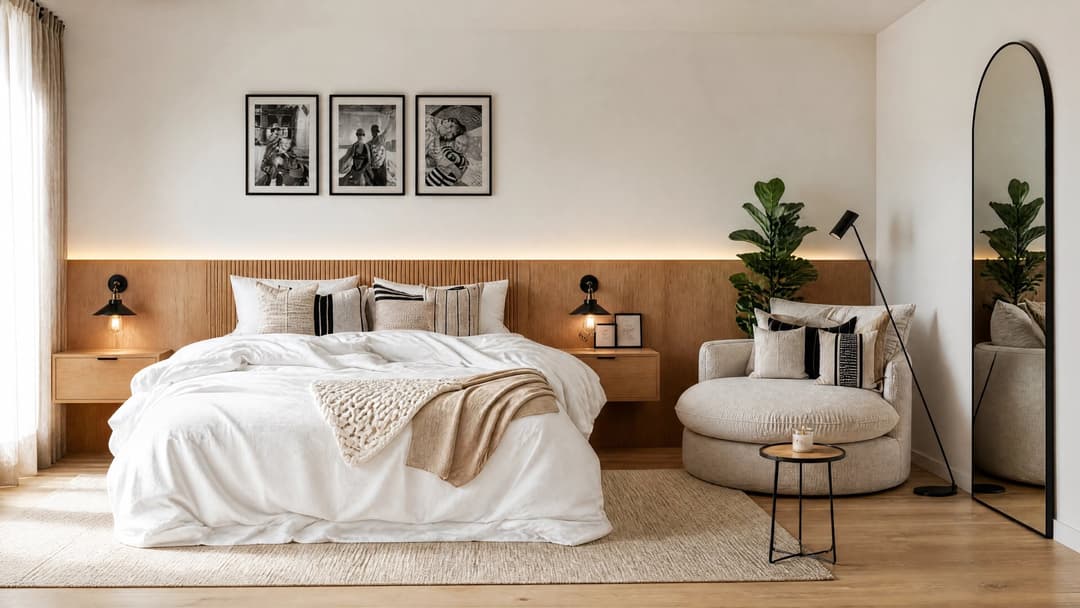
AI image generation runs on a handful of principles that hold steady even as a new model drops every week: networks that learn to turn noise into images, parameters that control how literal the result is, and helper models that protect the geometry. Understanding them isn't a technical luxury — it's what separates asking an AI to "make me a nice render" and getting frustrated, from knowing exactly what to ask for, with which tool, and why it failed when it fails.
This guide distills a training session we ran for more than 130 architects and designers. It builds up step by step: types of models, the three parameters behind most "weird" results, the methods you'll use every day, and why a general-purpose chatbot won't cut it when you're working with real products.
Why learn this if everything changes every week?
Because the technology changes, but the fundamentals stay put. New models are built on the same principles you'll see here, just as BIM was built on the logic of drawings without replacing the architect. In every technological leap the profession has taken — from the drafting table to CAD, and from CAD to BIM — what mattered wasn't the tool itself, but how it was used.
And there's a more practical reason: vocabulary. When everyone knows what a plan, a section and an elevation are, asking for changes is easy. The same goes for AI: knowing what a seed, a diffusion model or a ControlNet is lets you ask for what you actually want, instead of describing "the thingy that does the thing" like you're at the hardware store.
What kinds of models generate images?
GANs: a painter and a judge
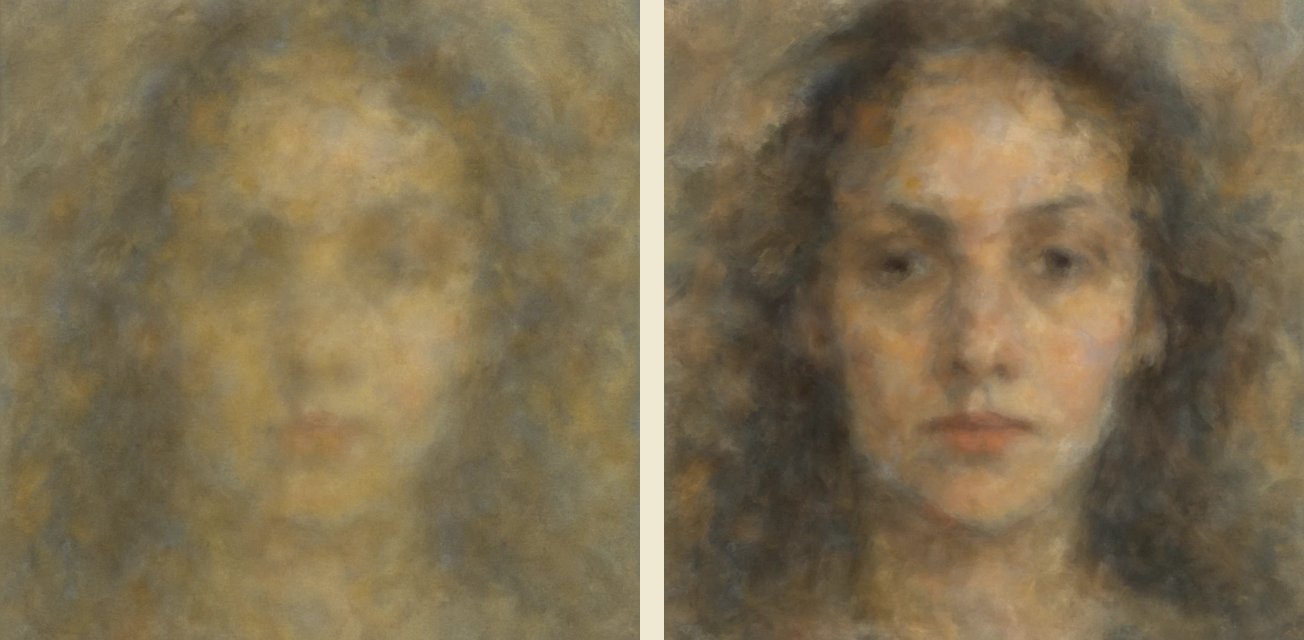
GANs (2014) were the first models to invent new, coherent images. They work through two competing networks: one "paints" from random noise and the other criticizes — "that image is fake" — until the first one manages to fool it. That's how the first generated faces were born: small and blurry at first, hyperrealistic later with models like StyleGAN. The original GAN paper (2014) is the starting point for everything that followed.
Transformers: building with LEGO
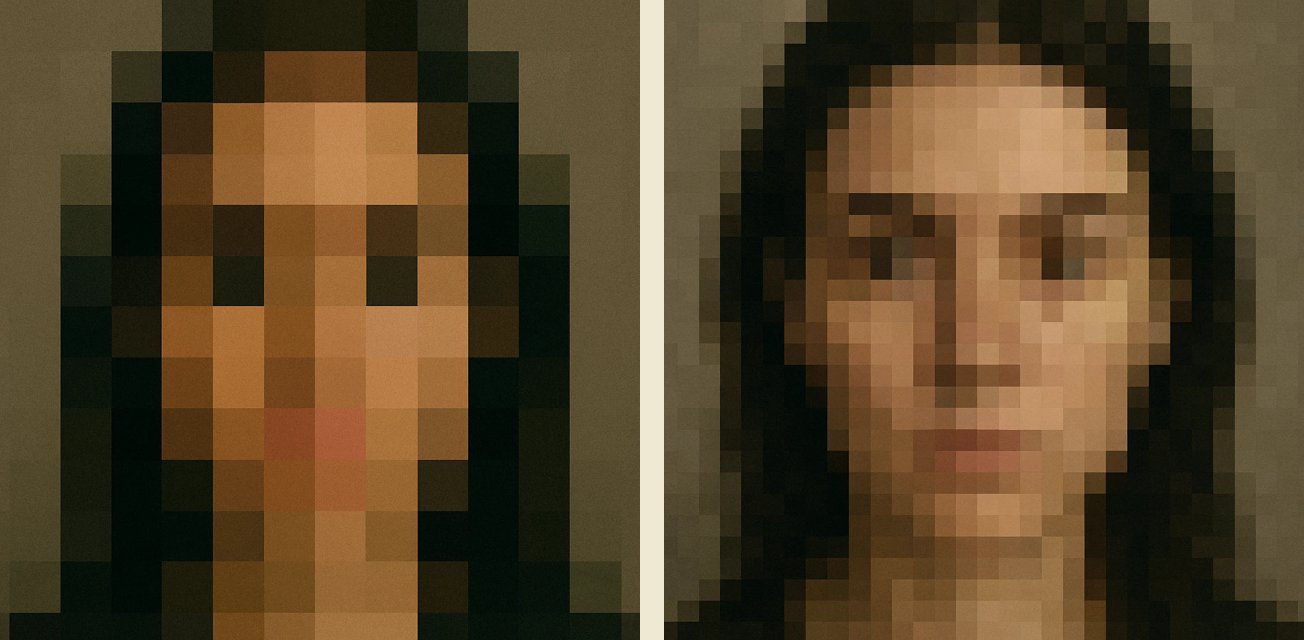
They use the same architecture as text models like GPT, but applied to images: they split the picture into patches (visual tokens) and build it piece by piece, predicting the next patch like a puzzle. They're less common than diffusion for still images, but they dominate in video and in multimodal models.
Diffusion: tuning the TV
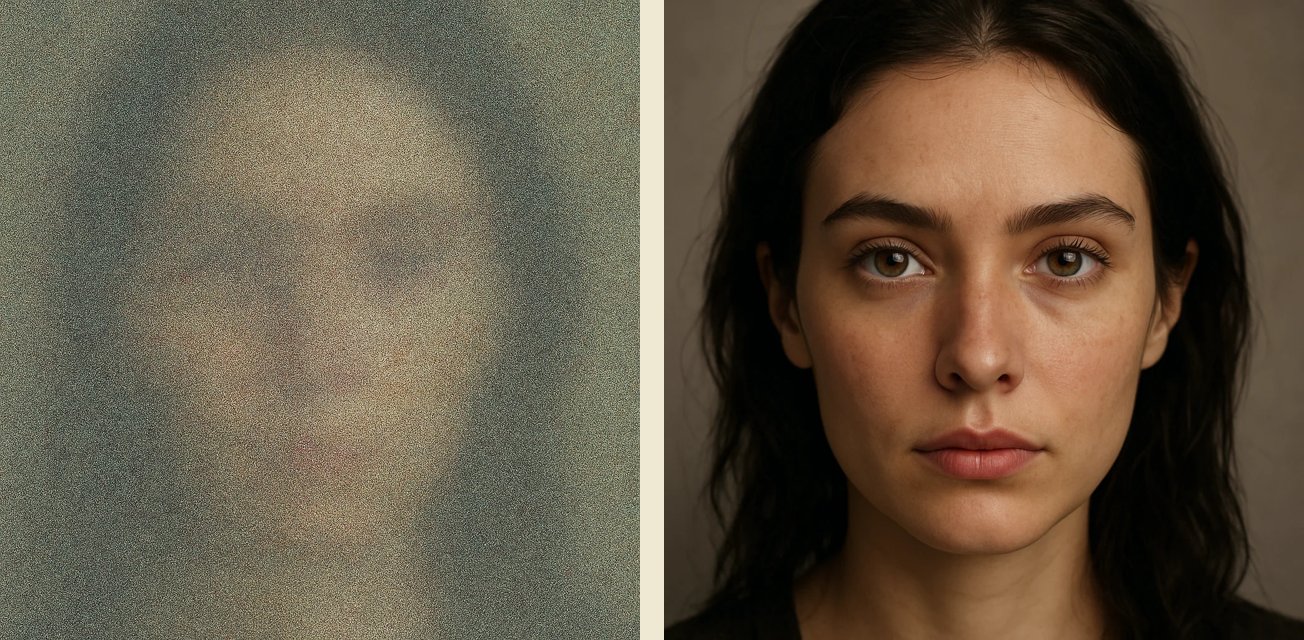
Diffusion models —Stable Diffusion, Midjourney, DALL·E— are the most widely used today. They're trained backwards: they take real photos and add noise until the images are destroyed, then learn the reverse process. When generating, they start from pure noise and "clean it up" step by step until the image appears, like adjusting an antenna until the channel comes in. Their open-source version democratized access and explains the creative explosion since 2021.
Controllers: the coloring book
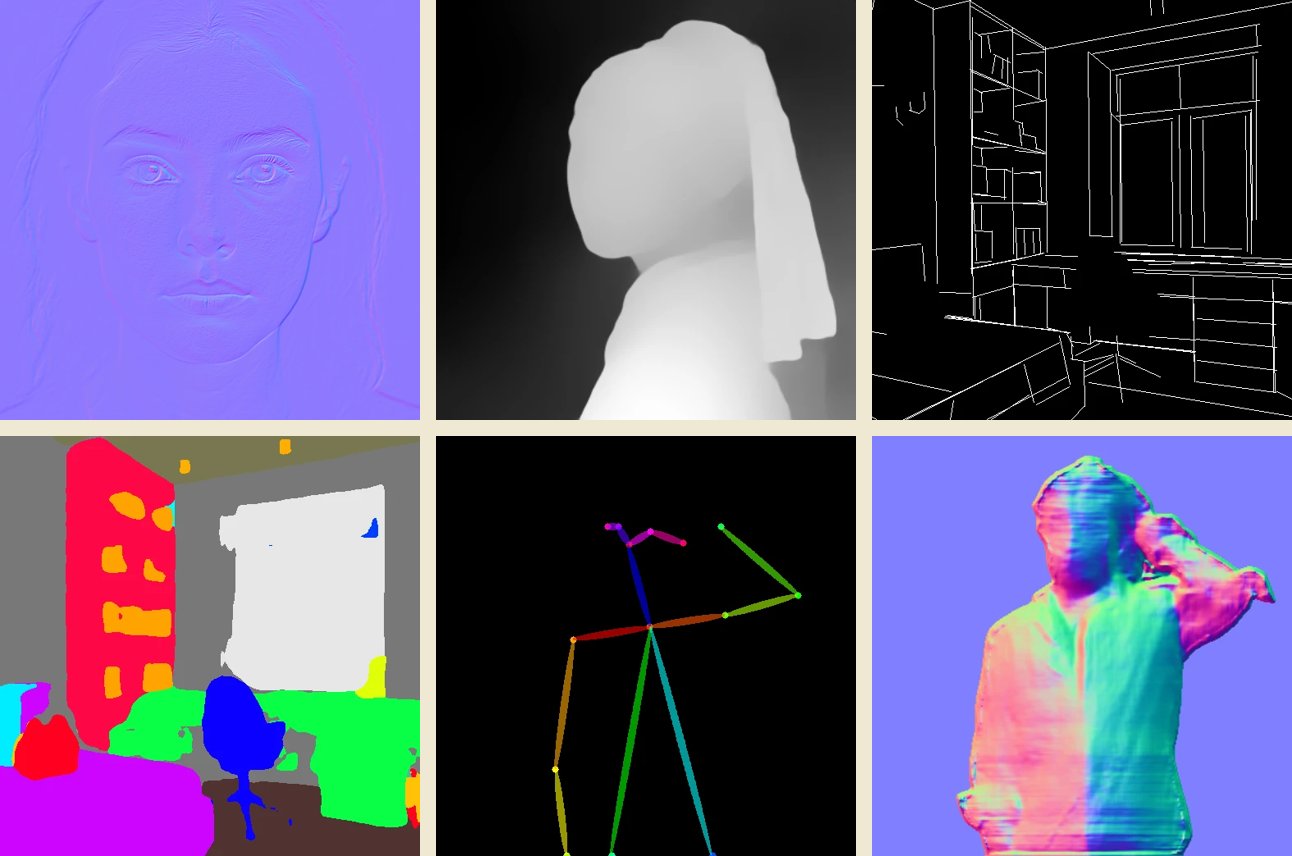
ControlNet and LoRA don't generate anything on their own: they guide the large models so they stay inside the lines, like a coloring book. They're the reason an AI can respect your project instead of inventing a different one. The most useful control maps in interior design:
- Depth: what sits in front and what sits behind, key to getting light and shadows right.
- Contours and edges: they preserve geometry and scale; nothing gets warped.
- Human pose: a reference skeleton for generating people in exactly the posture you want.
- Segmentation: isolates areas so you can change one material without touching the rest.
- Normals: they simulate how light hits the surface depending on whether it's rough, smooth or glossy.
- Perspective lines (MLSD): the most important one for interior architecture — it holds the layout and the perspective of the space.
LoRAs, for their part, are trained to become experts on one specific object —your chair, your bottle, your light fixture— and make sure that product comes out faithful while the general model handles the rest of the scene. The ControlNet paper (2023) explains the technique in detail.
Seed, CFG and steps: the three parameters behind those "weird" results
Seed: asking for Pedro at the counter
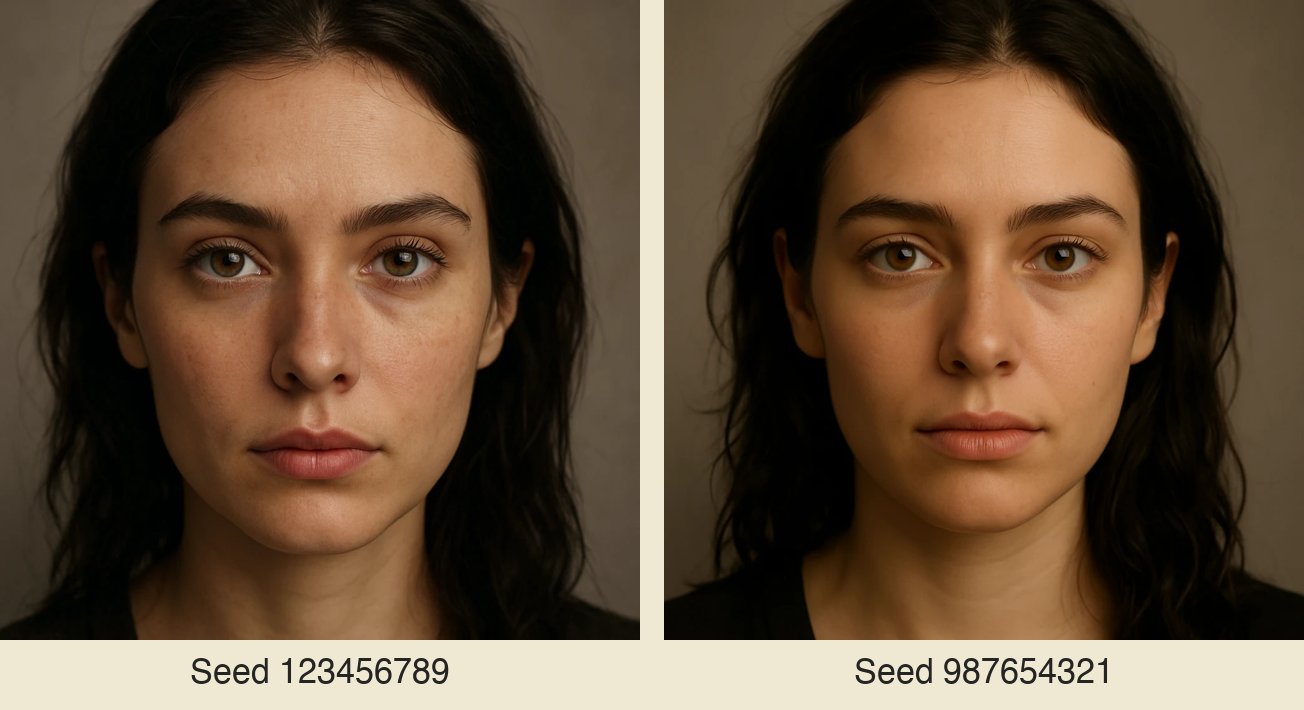
The seed is the number that defines the noise's starting point. Same prompt + same seed = the same image; change the seed and the "brown-haired woman, 50 mm portrait" still matches the description, but it's a different person. If you ever asked for "the same Nordic house but in a different landscape" and got a completely different house, that's what happened: nobody controlled the seed. It's like walking back into an office and asking whether Pedro is in, because Pedro already knows how to help you.
CFG: creativity's GPS
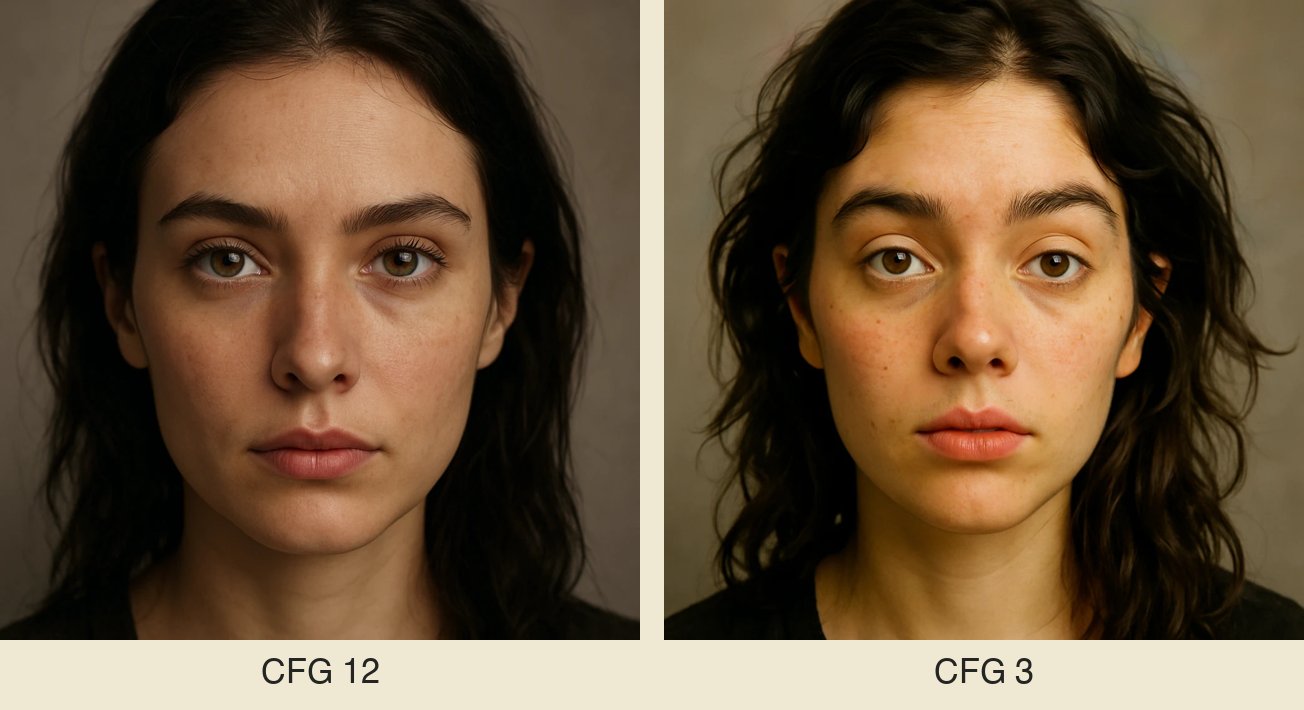
It controls how literally the AI takes your prompt. Low: more creative freedom. High: total obedience, with the "genie in the lamp" risk — you ask for "a painting on the wall above the table" and it drops the painting flat on the table instead of hanging it. The AI's common sense lives in this parameter.
Steps: coats of paint
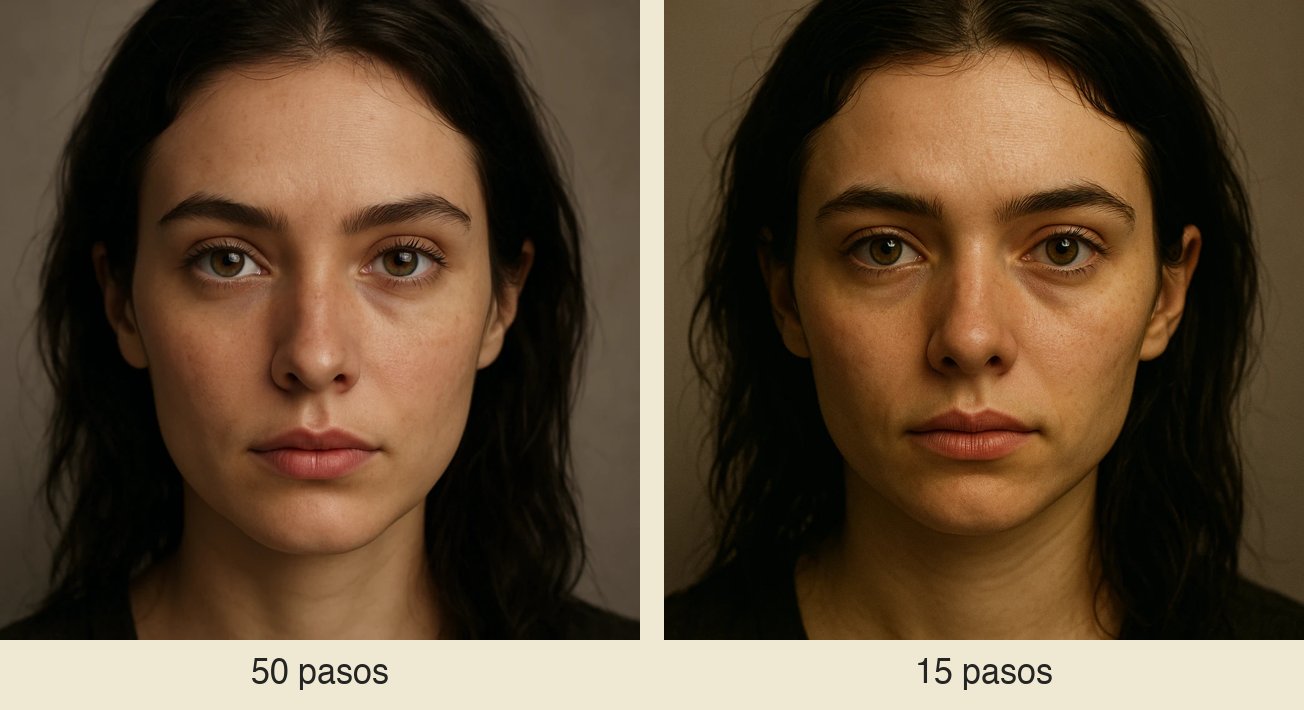
How many iterations the model runs to refine the image out of the noise. Few steps: fast but blurry —the poorly defined ear, the missing fingernail—. Many: more detail, more waiting. Like applying several coats of paint.
Which methods will you use every day?
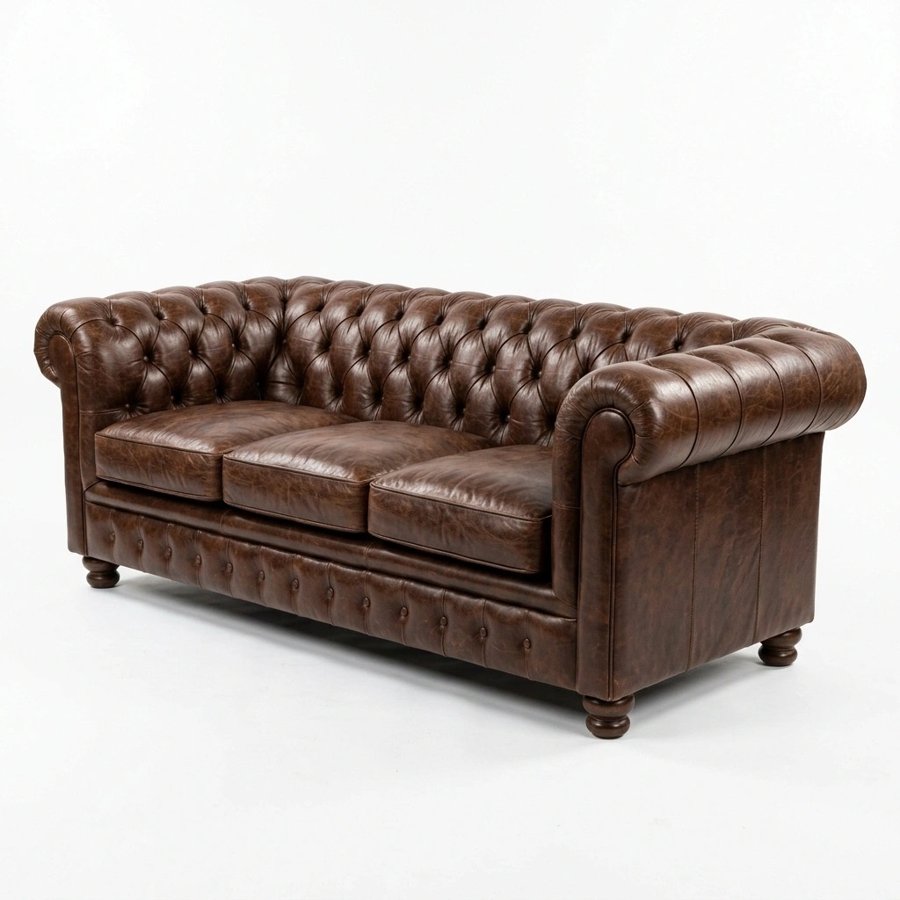
- Text-to-image: you write and the AI generates. "Make a brown leather tufted sofa on a white background" produces exactly that.
- Image-to-image: you upload an image and ask for changes. This is the backbone of the design workflow.
- Inpainting / outpainting: with a mask you modify just one small area (changing the curtain without a sofa appearing out of nowhere) or extend the image beyond its edges.
- Reference images and style transfer: "I want my render in this style" — watercolor, sketch, a painting.
- Multimodal: the newest models understand text and image natively, with no translating between tools — they feel more like a collaborator than an isolated tool.
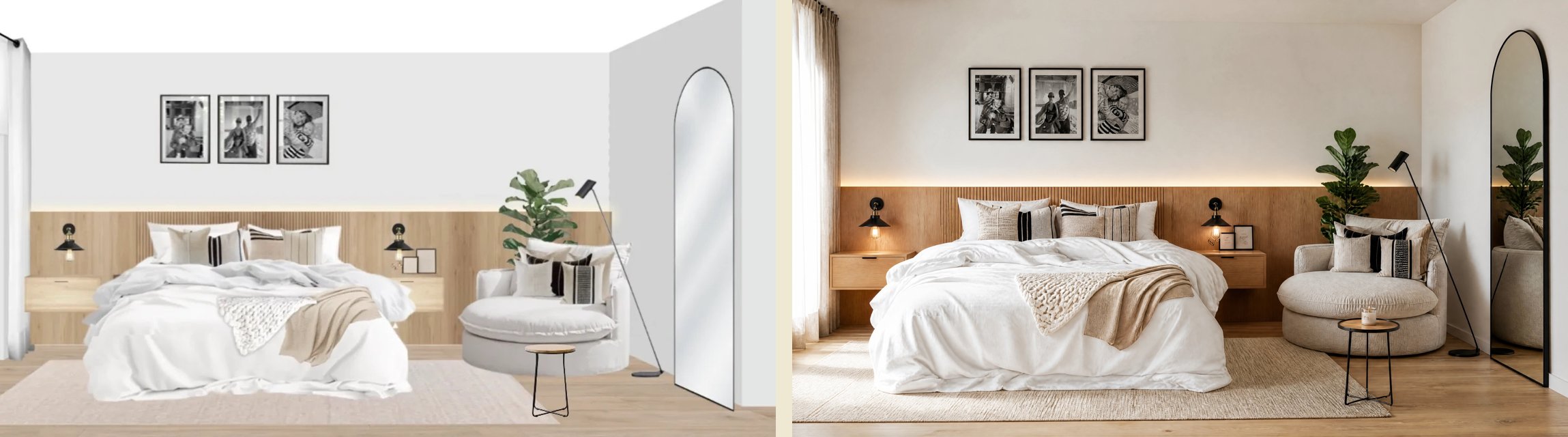
The jump in quality for interior design comes from combining these methods with the controllers. A real example from the talk: a 2D photomontage built with catalog products becomes a photograph with depth, light and shadows — without losing a single product or a centimeter of geometry:
Why does a general-purpose chatbot swap out your products?
Because it generates a completely new image, pixel by pixel, interpreting the previous one. We ran the test during the talk: the same photomontage processed by a general-purpose chatbot came back with a different lamp, a floating nightstand turned into a floor-standing unit, and a different mirror. For a designer that's fatal: if you already sent the client the purchase link, the image no longer matches the product. A specialized workflow —model + segmentation + depth + perspective— preserves every piece, because there are dedicated controllers making sure nothing strays outside the lines.
That's exactly the difference we went through in AI for interior design: more than a render, and the problem Kou, our AI assistant is built to solve: every button in Kouzee comes with the right model, controllers and parameters preconfigured for each task, so you never have to tune seeds or CFG by hand.
Frequently asked questions
Do I need a powerful computer to generate images?
Not necessarily. Models can be downloaded and run locally, but they demand large graphics cards; that's why almost every service generates on external servers and all you do is send the request. For typical professional use, any computer with a browser is enough.
Why does the AI sometimes "invent" things I didn't ask for?
It's almost always a combination of CFG (how literal it is), a missing mask (it modified more than you wanted) or an uncontrolled seed (the starting point changed). Agents also interpret things literally: if you leave a bench floating in the photomontage, you'll get a floating bench.
Which model should I use?
It depends on the task, not on the trend: diffusion for images from text or a reference, controllers when geometry matters, multimodal models for conversational workflows. The healthy strategy is to test and compare — and to use tools that already come with the right settings for your case.
Where to start
Take a photo or a render from your latest project and try three things: change a material using a mask, remove an object, and ask for a variation while controlling the reference. Those three exercises will teach you more than hours of tutorials. And if you'd rather see it live with the team, join a free workshop on the Kouzee calendar.