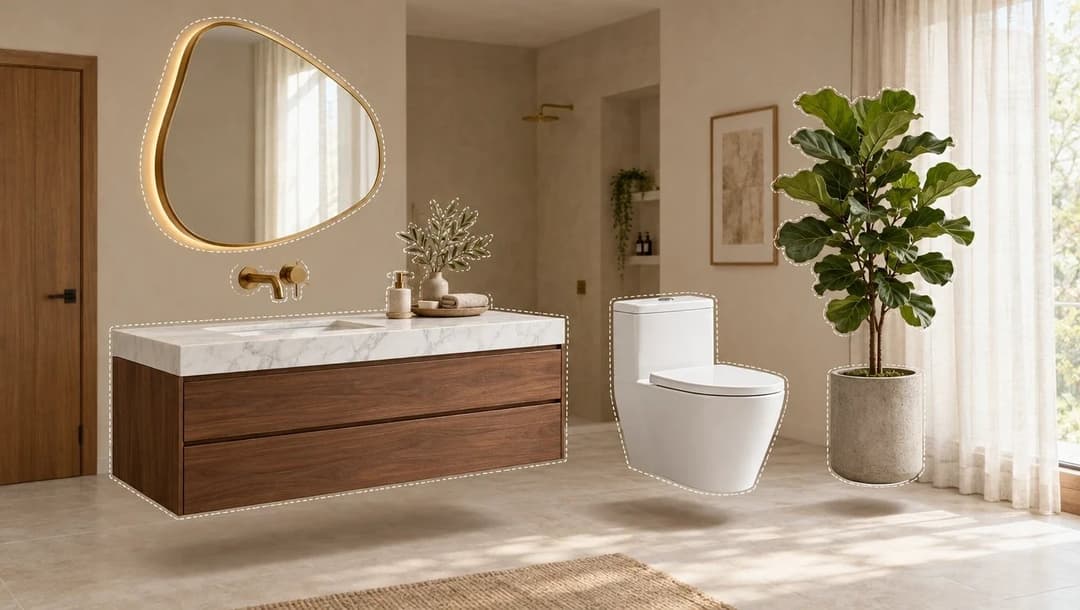

Valentina has chosen. The sofa, the rug, the two living room lamps and the kitchen porcelain tile. Now begins the part nobody talks about: how much is all of it together? How many square meters of tile need ordering? Did she buy the bedside lamp, or did her partner buy it on Tuesday? That stage usually lives in a notebook, in phone notes and in a spreadsheet somebody updates now and then.
Shopping lists are where that stops getting lost. This is the fourth and last article in the series about how to use the site; before this we covered Inspiration, the catalog and collections.
What is a shopping list?
A list of what you're actually going to buy, with sections, quantities, prices and a status per product. Unlike a collection, here every item has a number next to it and everything adds up.
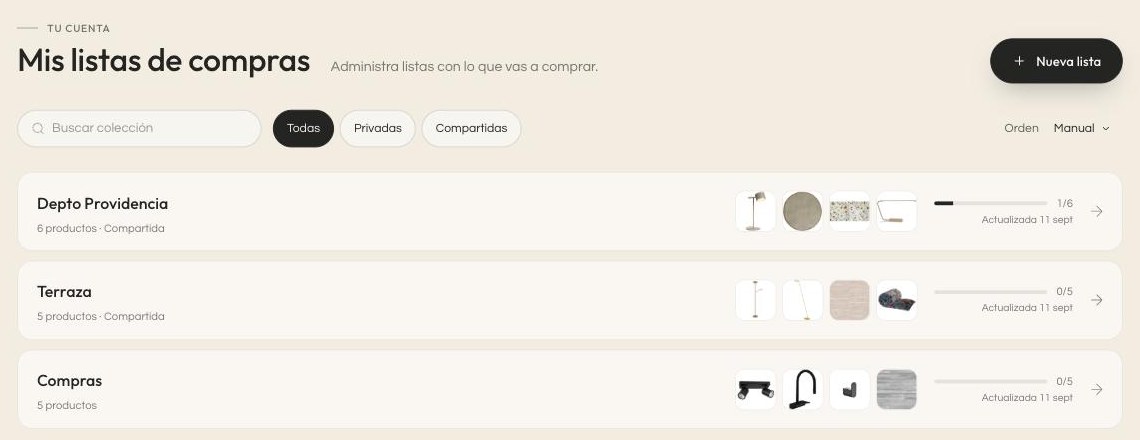
In the index, each list shows how many products it holds, whether it's shared, and a bar with the progress: 1 of 6 bought. It's the first thing you want to know when you come back after a week.
How is a list created?
Three ways, depending on where you are in the process:
- Empty, with the New list button, if you'd rather start from scratch.
- From the catalog, with the list button on any product or product page.
- From a collection, with Build shopping list: it copies the saved products and keeps the sections you already had.
The third is the most convenient if you'd been working tidily. The collection's sections —Kitchen, Living room, Bedroom— arrive in the list exactly as they were and there's nothing to rebuild.
What does each product in the list carry?
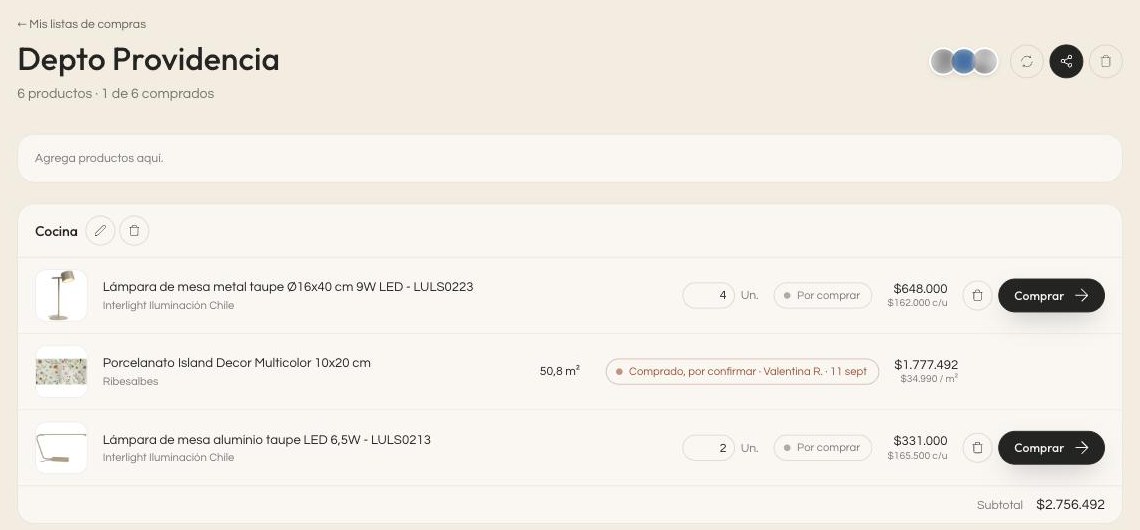
Reading a row from left to right: the photo, the product name, the brand, the quantity, the status, the price and the buy button.
Two details that matter more than they look:
- The quantity comes with its unit, and the unit depends on the product. Lamps go by units; porcelain tile, by square meters. You type 50.8 and the list understands those are m², multiplies by the price per meter and shows you the total for that line. It's the calculation people get wrong most often by hand.
- Each section has its own subtotal, so you can see what the kitchen is costing you without mixing it in with the rest.
The product name leads to its page in the catalog, the brand to that brand's page, and the image and the Buy button take you to the store where it's sold.
How do I mark what I've already bought?
Every product starts as To buy. When you buy it, you mark it with I bought it and it moves to bought, with the date and the name of whoever marked it. If the store confirms the payment, the status reflects that.
What's bought stays put: it can't be deleted from the list. It may sound rigid, but it's deliberate. A list where you can delete what's already paid for stops working as a record of how much you've spent, which is exactly what you look at it for at the end of the month.
There's one more status, and it appears on its own: Not available. That's what happens when a product leaves the catalog. It doesn't vanish from your list —it stays dimmed— so you know you have to replace it rather than thinking it simply got lost.
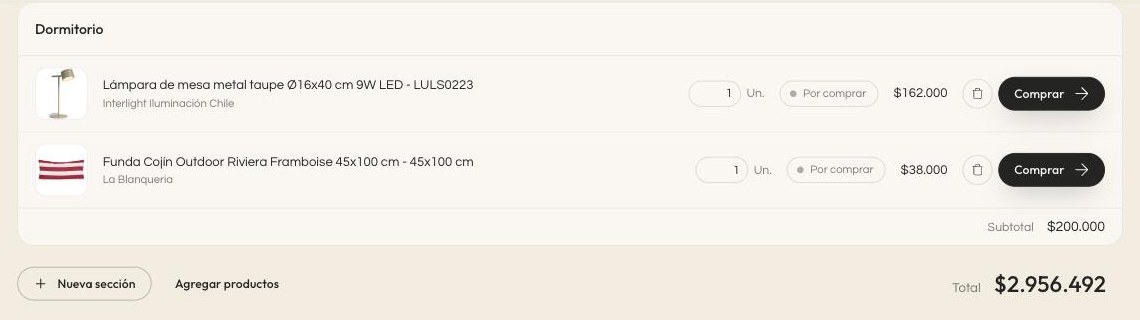
At the very bottom is the total. That number is what turns a folder of ideas into a budget.
Why keep the list separate from the collection?
Because they answer two different questions. The collection answers "what do I like?" and the list answers "what am I buying and what does it cost?". As long as they live together, neither can be looked at calmly: the folder of ideas gets contaminated with math, and the budget gets contaminated with things you haven't decided yet.
In practice you notice this when something unexpected comes up. If the chosen sofa blows the budget, you go back to the collection, where the alternatives you left there are still saved, pick another and send it to the list. There's no starting over and no digging through browser history.
How do I share it?
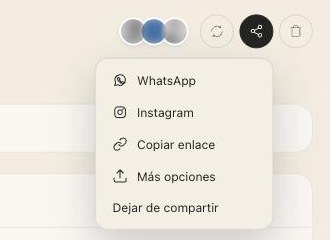
Just like a collection: a link is generated, whoever opens it signs in and accepts, and from there they collaborate. They can add products, remove them, move them between sections and mark what's been bought.
And it all shows up instantly on the other screens. If your partner marks the lamp as bought from their phone, you see it without reloading. That's what prevents the classic of buying the same thing twice.
What does "Update from the collection" do?
If the list came from a collection, that button —at the top, next to share— brings in whatever has been saved to the collection since the last time.
The important part is what it does not do: it doesn't bring back what you had already taken out of the list. If you ruled out a sofa, it doesn't reappear every time you update. And if someone joined the collection in the meantime, they also end up with access to the list.
A way of using it that works
If the project is large, it's worth one section per room and buying by whole sections rather than skipping around. Finishing the entire kitchen before starting the living room avoids the classic problem of having half a house half-done for months, and each section's subtotal also tells you whether you can keep going or need to adjust before moving on.
And check the total before every purchase, not at the end. It's the difference between realizing in time and realizing when there's no way back.
Reorganizing as you go
Products can be dragged from one section to another and sections can be reordered among themselves. It sounds minor, but it changes with the stage: at the start you organize by room, and at the end, once you're buying, it's often better to reorder by what arrives first or by supplier.
You can also create new sections at any time with New section and keep adding products with the field at the top or with Add products.
Frequently asked questions
Can I pay from Kouzee?
No. The Buy button takes you to the brand's store. The list keeps the count; the purchase happens at each store.
Why can't I delete a product I've bought?
So the list keeps working as a record of what you've spent. What you can do is keep adding and organizing everything else.
What if the price changes after I built the list?
Prices come from the brands' catalog, so it's worth checking the total before buying instead of treating a two-month-old number as fixed.
Can I have several lists at once?
Yes, and it's usually a good idea: one per stage or per space. The index shows you the progress of each one.
That closes the series
The full route is four steps and each one solves a different problem: Inspiration to work out what you like, the catalog to find the exact piece, collections to organize what you're considering, and lists to keep track of what you buy.
If you're starting a project, you don't have to do all four today. Save five images this week. The list will show up on its own once you have something decided.